How to Build a Dashboard That Connects Ads, Sales and Profitability
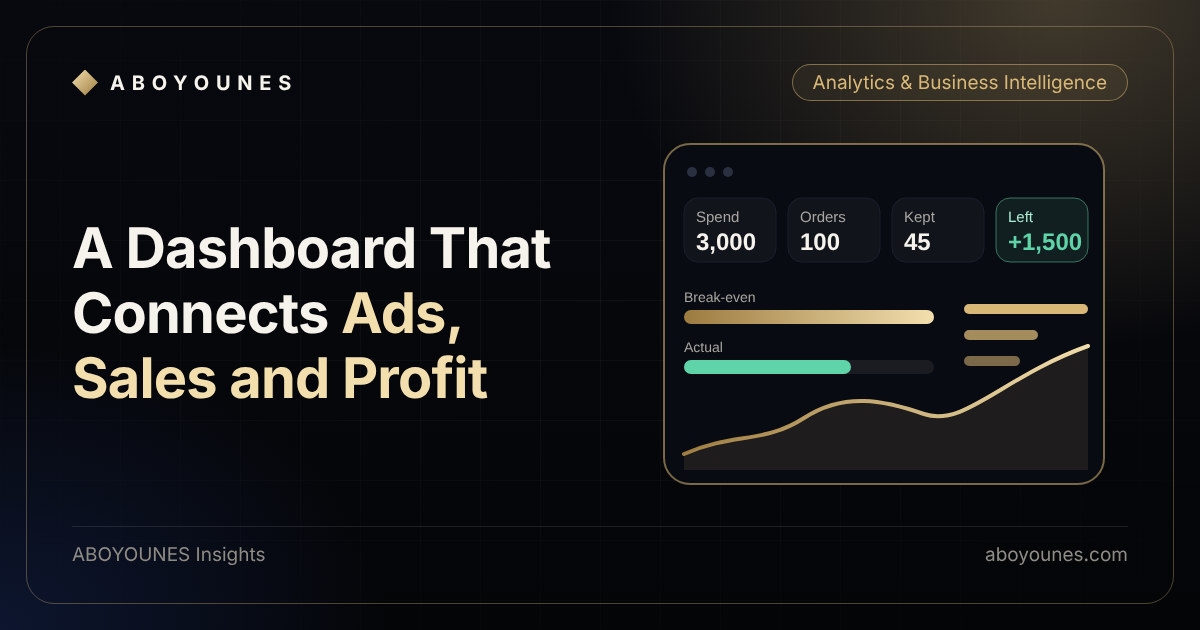
Most dashboards are built from whatever data is easy to connect. They show clicks, spend, orders and revenue in neat charts, and still leave the owner asking the same question: should I spend more or less tomorrow?
A useful dashboard is built the other way round. It starts from the decision, then collects only the data that answers it. This article walks through how to do that for ads, sales and profitability, in an order that works even if you start small.
Start with the decision, not the chart
Write down the three to five questions you want the dashboard to answer every week. For an online store they usually look like these:
- Which campaigns are making money after cancellations, returns and costs?
- Am I below or above my break-even limit for each order?
- Where in the order journey am I losing the most: before confirmation, in delivery or after?
- Is it safe to raise this budget, or should I fix something first?
If a chart does not help answer one of these, leave it out. You can always add it later. A dashboard with ten answers beats one with a hundred charts.
Agree on the definitions
Many dashboards fail because two people read the same word differently. Define each metric once and keep it in writing:
- Incoming order: an order placed in the store.
- Kept order: an order that is confirmed, delivered and not returned or refunded.
- Revenue: money from kept orders only.
- Cost per order: product, shipping, packaging and fees for kept orders, plus the cost of failed ones if you pay it.
- Left after costs: revenue minus those costs.
- Break-even limit: what is left after costs, divided by incoming orders, or by kept orders. Here is how to calculate it.
Gather the data from four places
- Ad platformsSpend, clicks, campaign
- StoreOrders, value, order ID
- FulfilmentConfirmed, delivered, returned
- Your costsProduct, shipping, fees
- Ad platforms give you spend, clicks and the campaign names.
- Your store gives you orders, their value and the order ID.
- Fulfilment gives you what happened next: confirmed, delivered, returned or refunded.
- Your costs give you product cost, shipping, fees and anything else that varies with an order.
The platforms' own conversion numbers are useful for comparing campaigns, but they should not be the foundation for profit. Your order and status data should be. Why the two disagree is worth understanding before you connect them.
The join that makes it work
The single most important design choice is how an ad connects to an order. Pass a campaign or source value into the order record when the order is placed, and keep the order ID everywhere. With that, every order in your table carries its source, its status and its costs. Without it, you have an ad report and a sales report side by side and no way to tie them together.
Keep one order table as the centre. Everything else feeds it or reads from it.
Design for a decision
Put the answer at the top, then the evidence under it. A good first screen has one question, one verdict and a few supporting numbers.
Can I scale this campaign?
Room to test a higher budget, in steps.
Layout and numbers are an illustration. Your own metrics and sources define the real thing.
In this example the question is whether to scale. The dashboard compares the actual ad cost per order with the break-even limit, shows what is left after ads, and shows where orders are lost. The owner can read it in seconds and then decide to test a higher budget in steps.
Useful companions on a second screen: the funnel by campaign, spend against break-even over time, and a list of orders still waiting for a final status.
Handle late data honestly
Delivery and return status arrives days after the order. A campaign that started yesterday will always look better than it is, because its failures have not happened yet. Show pending orders separately and avoid judging a campaign on data that is still incomplete. This one habit prevents many wrong decisions.
Keep the build small, then grow it
You do not need a large system to start. Many dashboards begin with a well-structured sheet or database feeding a reporting tool such as Looker Studio, with the data flowing in automatically instead of being pasted by hand. Start with one store, one order table and a few metrics. Add campaigns, then costs, then alerts once the first version is trusted.
A short checklist for version one:
- Write the questions and the definitions.
- Create one order table with ID, source, value, status and cost.
- Connect ad spend by campaign.
- Show the verdict, the break-even limit and the funnel.
- Mark pending data and show when it was last updated.
- Review it weekly against what actually happened and adjust.
What it takes to keep it trustworthy
A dashboard is only as good as its inputs. Check that new products, prices and shipping rules reach the cost table. Check that tracking still fires after any change to the store. And review the definitions when the business changes. A dashboard people stop trusting is worse than none.
Where to go from here
If you want a dashboard like this built around your own data and sources, see the AI business dashboard and the tracking and reporting services. If the foundations are not ready, start with the tracking and a clear picture of your break-even limit, then connect the rest.